


Anyone can store AVAX, Avalanche tokens (ARC20), and coins in the Avax wallet. Users may also move tokens across chains, but there is no way to connect to the Avalanche network and engage with dapps. Instead, there is a web3 wallet, and MetaMask is the most common wallet for connecting to dapps. This article details how we can connect Avalanche with MetaMask.
Summary
- Avalanche is created as a platform for smart contracts, the development of dapps, and the production of subnets or custom blockchains.
- MetaMask is a cryptocurrency wallet allowing users to securely connect to decentralized applications, store and manage account keys, and carry out transactions.
- There is a list of steps mentioned below that one can follow to connect Avalanche with MetaMask.
- Certain exchanges, including Binance and KuCoin, allow you to deposit and withdraw funds directly to the AVAX C-Chain address.
- If you have AVAX tokens on Metamask and wish to transfer them to Avalanche wallet, copy the C-Chain address from the AVAX wallet and transmit it from Metamask.
How to connect Avalanche to MetaMask?
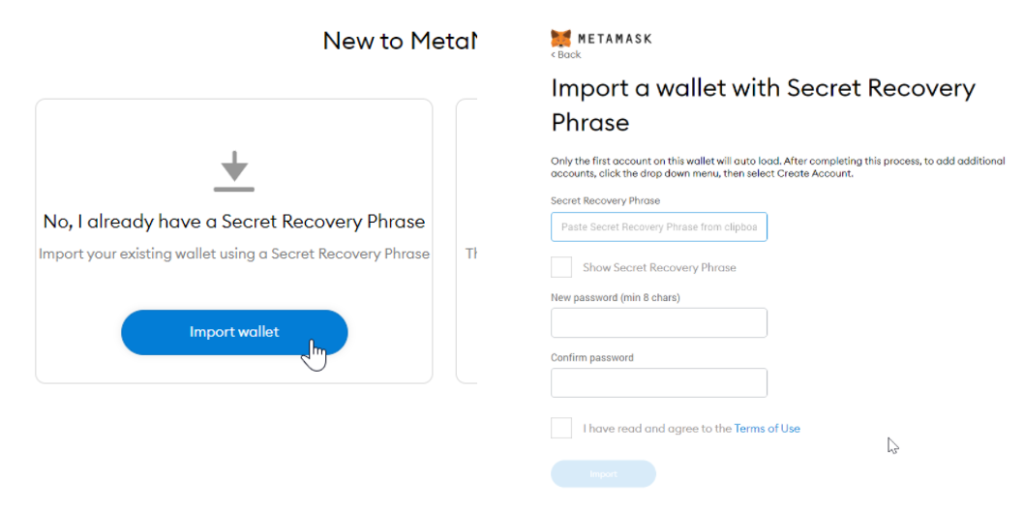
- Navigate to the window corner towards the right to the Metamask logo.
- Then, go to Account Options and select Expanded View.
- Metamask connects to the Ethereum mainnet by default. Therefore, it would be best to create a custom RPC network before connecting it to other networks.
- Select Ethereum Mainnet and custom RPC.
- Alternatively, choose accounts and then settings from the drop-down menu.
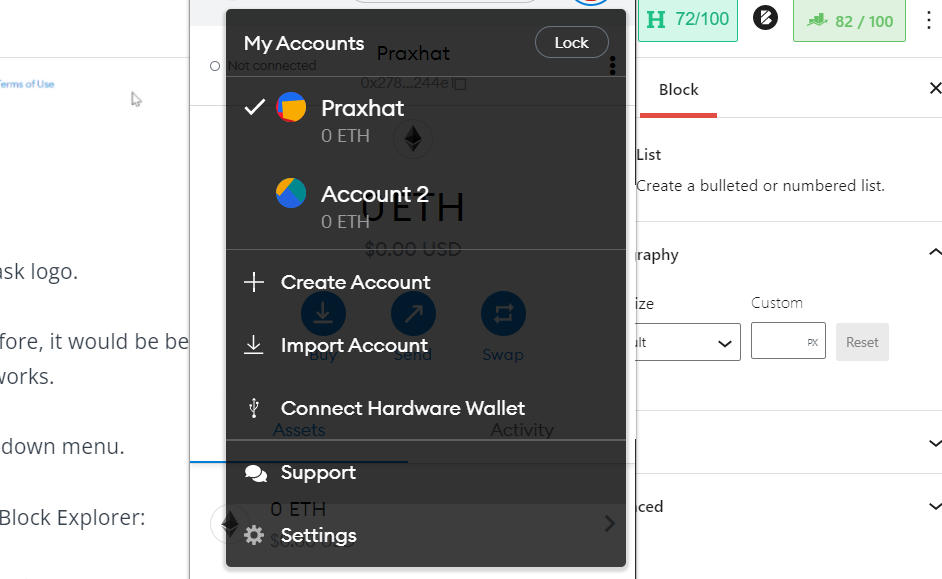
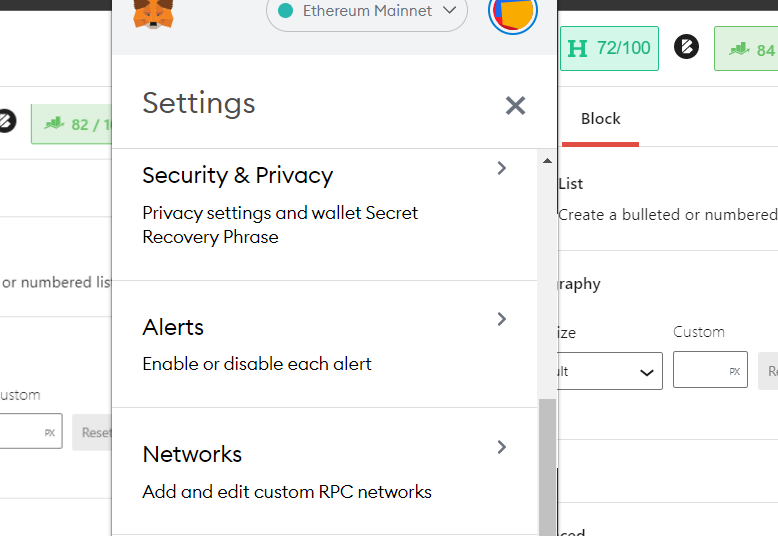
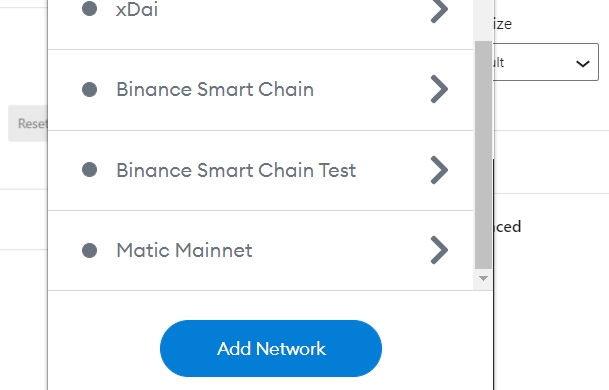
- Now Click on Add Network.
- Add AVALANCHE network and fill the New RPC URL as https://api.avax.network/ext/bc/C/rpc and the URL for the Block Explorer: https://cchain.explorer.avax.network
- You can put 43114 or 0xa86a in the ChainID box (displayed in decimal form by Metamask) for AVAX, the currency symbol.
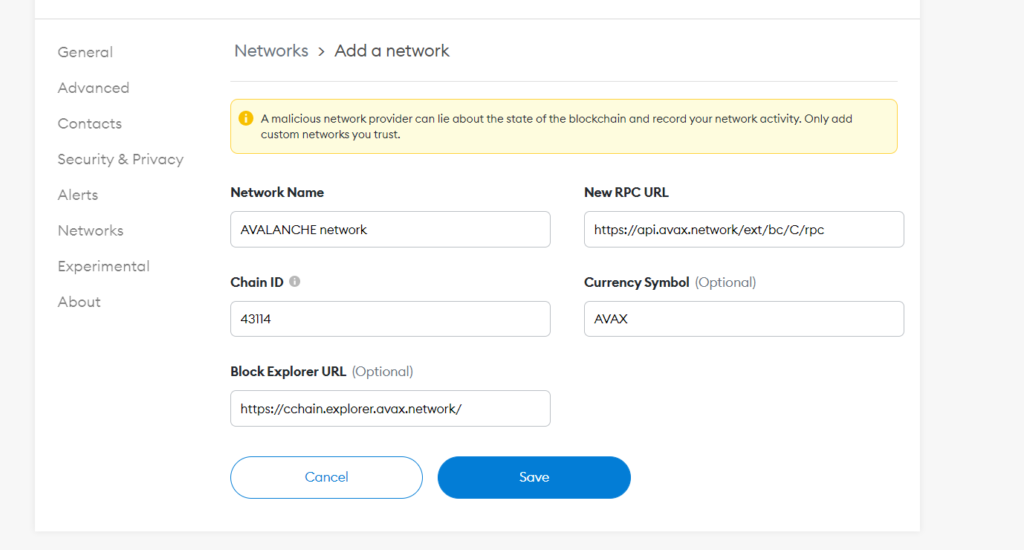
- Ensure that all of the information/data provided by you is correct. When you’re finished adding the Avalanche network to Metamask, click Save.
- FUJI Testnet settings and Local Testnet (AVASH) settings, which are the Testnet and local developer environment, may all be found at Avalanche Mainnet settings.
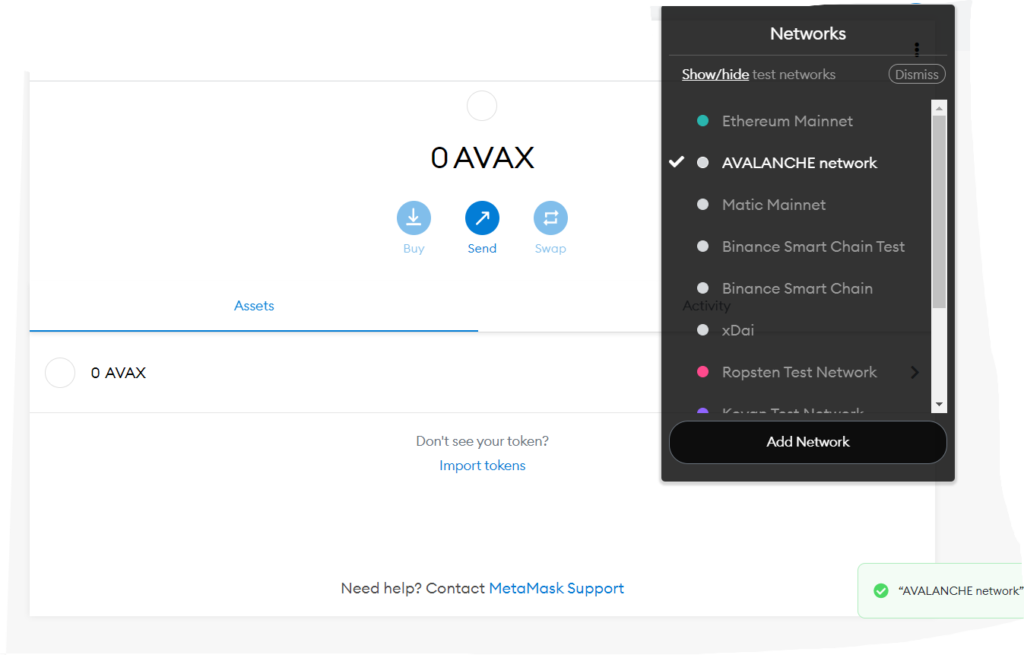
- After you’ve input the Avalanche Mainnet C-Chain network data, go to your MetaMask extension’s networks drop-down menu and choose the Avalanche network.
How do I transfer AVAX to Metamask connected to Avalanche?
CEX and DEX are both excellent places to get Avalanche tokens. Binance, KuCoin, Bitfinex, and Huobi Global are just a few exchanges that accept it. AVAX tokens are used to pay for all transactions on the Avalanche network. Gas fees are identical to ETH; both are utilized on the respective blockchains.
Avalanche comprises several chains, including the X Chain (Exchange), the P Chain (Platform), and the C Chain. The crucial thing to remember is that because your Metamask is connected to the Avalanche Mainnet C-Chain, Metamask can only communicate with the C-Chain address. As a result, you must exercise extreme caution while moving tokens (ARC20) to and from the Avalanche network.
Also read, How to use Ledger X with Avalanche in 2021?

How to withdraw AVAX into Metamask wallet?
The source of the tokens determines how the Metamask AVAX C-Chain address is funded. Certain exchanges, including Binance and KuCoin, allow you to deposit and withdraw funds directly to the AVAX C-Chain address. First, copy and paste the Metamask address into the Binance exchange’s withdrawal address. After that, double-check that the AVAX C-Chain address is selected. After that, input the amount to be transferred and click withdraw. Begin with a bit of amount. If you are unable to view your coins, ensure your Metamask’s current network is set to Avalanche blockchain.
If you’re transferring to or from Metamask, make sure you don’t send it to an X-Chain or P-Chain address. Instead, for transactions, only use the C-Chain address.
Also read, Hardware Wallets and Metamask are being Compromised
Sending AVAX to your Avalanche-connected MetaMask and sending coins out of the Metamask Avalanche network might be perplexing at first, but you’ll get accustomed to it in no time, and you will be able to trade and exchange ARC 20 tokens once you have funds on the Avalanche network.
Frequently Asked Questions
Q1. What is Avalanche?
A1. Avalanche is a platform for smart contracts, DApps, and the production of subnets or custom blockchains.
Q2. What is MetaMask?
A2. MetaMask is a cryptocurrency wallet allowing users to securely connect to decentralized applications, store and manage account keys, and carry out transactions.
Q3. Is Avalanche better than Ethereum?
A3. Avalanche promises to offer a quicker, less expensive, and more secure blockchain than Ethereum as the transactions are processed in 3 seconds, with a throughput of 4500 TPS.
Also read,
