


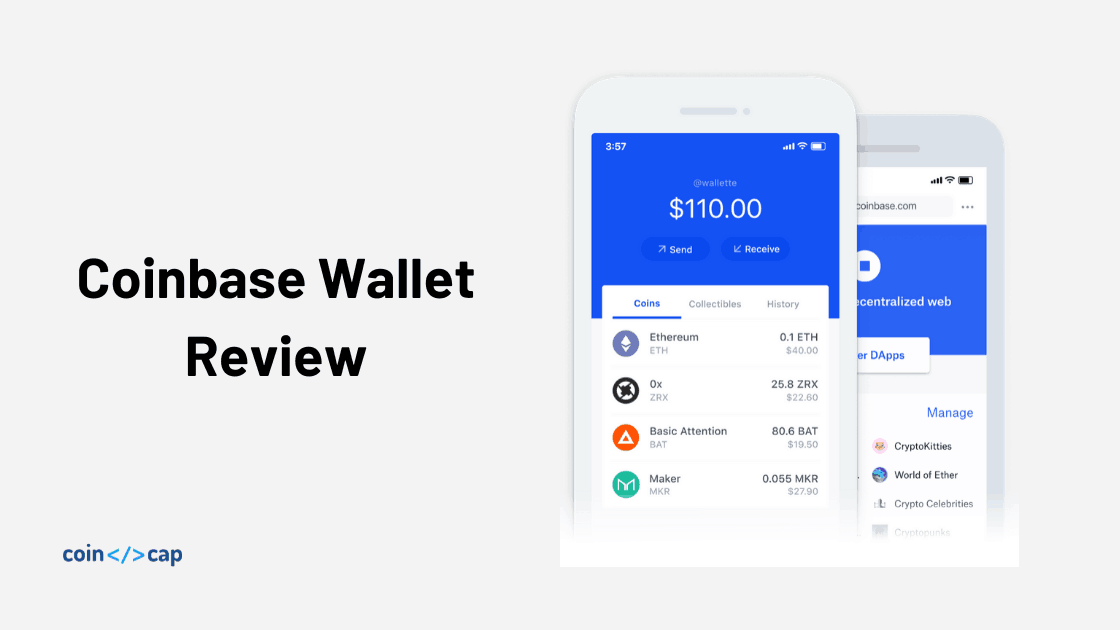
Coinbase is building crypto first products since 2012. The team has built multiple world-class solutions for crypto trading, storage, and payment. Today, we will review the Coinbase wallet, its consumer-facing crypto wallet for everyday users.
Read Coinbase Wallet Reviews on CoinCodeCap
Summary (TL;DR)
- Easy Onboarding
- Recovery phase backup on Google drive or iCloud
- Multi-currency support
- Collectible (aka non-fungible token) support
- Dapp browser built inside the app
- Avoid addresses using Username or ENS
- Multiple fiat currency support
- A non-custodial crypto wallet with useful security features
Installation
You can install the Coinbase wallet from either from Playstore or Appstore based on the operating system you are using.
Note: Never install a wallet from unknown or third-party sources.
Wallet Setup
Once installed, let’s set up our wallet. We have two options here either create a new wallet or import an existing wallet using a recovery phrase.
For importing an existing wallet, Coinbase provides two options.
- Restore from Google drive or iCloud
- Restore with Recovery phrase
Coinbase provides an option to back up your recovery phrase on your Google Drive or iCloud account. For our review, we will create a new wallet from scratch.

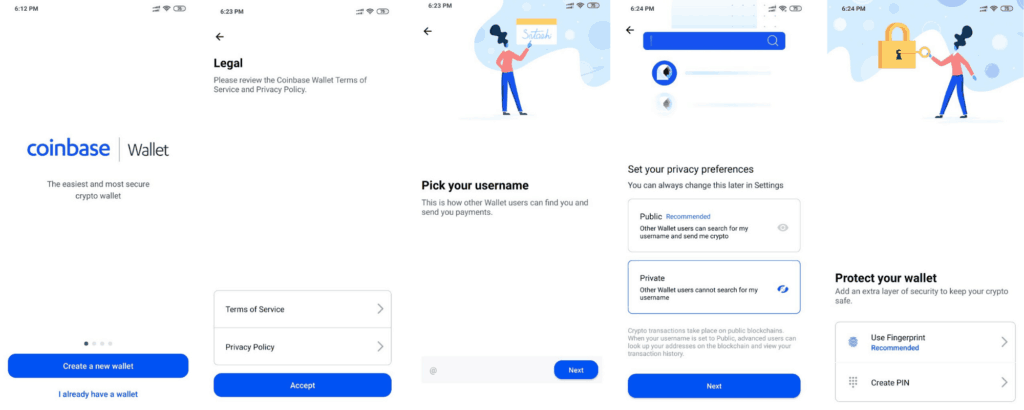
Here are the steps to create a new Coinbase wallet.
- Accept Terms and conditions
- Create a new username
- Privacy setting (If other wallet users can search your username or not?). For now, let’s make it private.
- Add extra security, Fingerprint or PIN (If your device supports Fingerprint, then its a recommended option).
That’s all for our basic wallet setup, but before moving forward, let’s back up our recovery phrase.
Back up your recovery phrase
We recommend backing up your recovery phrase. Your backup will be encrypted with AES-256-GCM encryption and accessible only by the Coinbase wallet mobile app. This backup can only be decrypted using your password.
Your cloud backup provider or Coinbase will not have access to your password or funds at any time, preserving your privacy and control. Only you know the password that decrypts your encrypted recovery phrase.
Checkout best crypto wallets on CoinCodeCap
So while backing up your recovery phrase, please use a password that you can remember. For backing up your recovery phrase, go to settings → Recovery phrase.
Note: Use your personal Google or iCloud account, not your company’s account.
Security
Coinbase wallet provides standard security features such as PIN and Fingerprint. If your mobile device supports Fingerprint, we recommend using Fingerprint over the PIN.
In addition, the Coinbase wallet is a non-custodian wallet, so if you forget your PIN or lose your recovery phrase, the Coinbase team won’t be able to help you. Therefore, it is essential to backup your recovery phrase properly.
Features
Let’s review Coinbase wallet features now. The wallet is full of exciting features that make your life easier and provide you the best experience when dealing with cryptocurrencies. Let’s review these features.
1. Integration with your Coinbase Account
You can connect your Coinbase account with Coinbase wallet and transfer coins seamlessly. The Coinbase account is a custodian solution where the Coinbase wallet is a non-custodian solution.
Hence you can buy cryptocurrencies (such as Bitcoin or Ethereum) using your Coinbase account and use it via your Coinbase wallet.
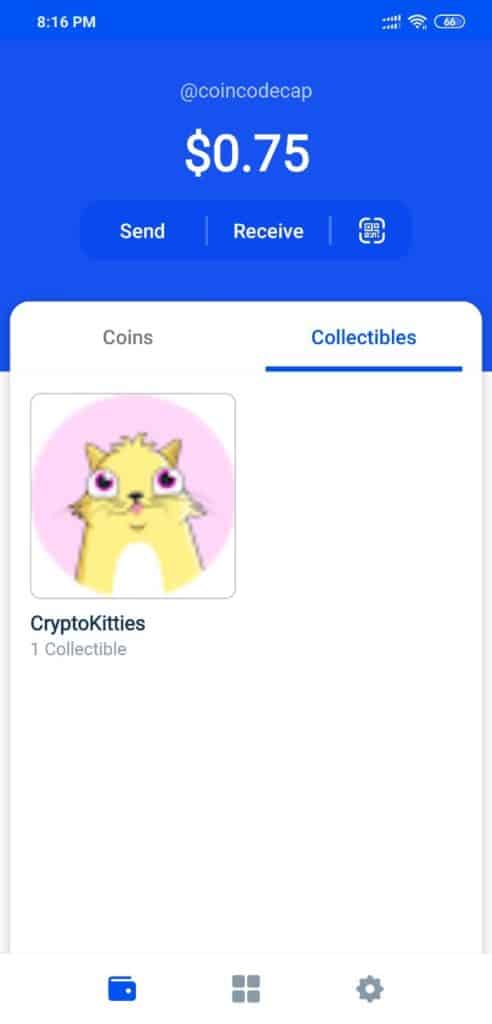
2. Store your Coins and Collectibles
Coinbase wallet supports multiple Cryptocurrencies. In addition, it also supports Collectibles (aka Non-fungible tokens). So now, you can see all your collectibles in one single place.
3. Dapp Store
The wallet also allows you to discover Dapps and interact with them inside the app itself. You can also bookmark your favorite Dapp. This feature makes the wallet interesting, especially for DeFi users.
Also read: Best Smart Contract Wallets (DeFi Wallets)
It is an exciting feature for users as well as Dapp creators. Users can discover best Crypto Dapp, and at the same time, a Dapp builder can reach millions of users using the Coinbase wallet.
![Coinbase Wallet Review [Everything You need to know]](https://coincodecap.com/wp-content/uploads/2020/03/dapp-browser-492x1024.jpg "Coinbase Wallet Review [Everything You need to know] 3")
4. Use your Local Fiat currency
When you create your Coinbase wallet, the default currency is USD, but you can change this using setting → Local currency. I hope Coinbase also provide multiple language options in the future.
5- Search using Username or ENS
While setting up our wallet, Coinbase asked us to create a username. Using this username, you can search other wallet users who have made their username public.
In addition, Coinbase also supports ENS domain names. ENS is easy to remember strings representing a wallet address.
Username and ENS enhance the user experience when dealing with cryptocurrency addresses.
Advance Features
Coinbase wallet supports the Bitcoin Segwit addresses. Besides, there are some advance features for developers where you can use different wallet address and switch between Mainnet and Testnet.
Also read: Best hardware wallet to secure your bitcoin
Wrapping Up…
Coinbase has one of the most effortless user onboarding and simplistic design. The wallet provides an awesome user experience with exciting features.
One highlight of the wallet is the recovery phrase backup on the personal cloud. We think it will help thousands of new Crypto users not to worry about their recovery phase and become the industry standard for safely backing up the passphrase on the cloud.
Let us know what you think about our Coinbase wallet review in the comment section.
Also, Read
If you want to learn more about the Crypto ecosystem, sign up for the weekly newsletter.
